

Choosing a school website provider comes down to five things that matter more than any feature list: accessibility, support, migration risk, design flexibility, and total cost. Districts that skip a structured evaluation tend to end up back in the market within a few years. Migrating again, retraining staff, and re-explaining their needs to a new vendor. A checklist built around those five criteria keeps the decision grounded in what actually affects your staff and families, not just what looks good in a sales demo.
This one is from the vendor's side of the table. Foxbright has spent more than two decades building and supporting websites for districts, ISDs, and RESAs across the nation. We have responded to plenty of RFP's from communications directors and IT directors, looking to sort good fits from bad ones. This guide is for whoever on your team owns that decision, and it's meant to be genuinely useful whether or not you end up talking to us.
The Quick Answer
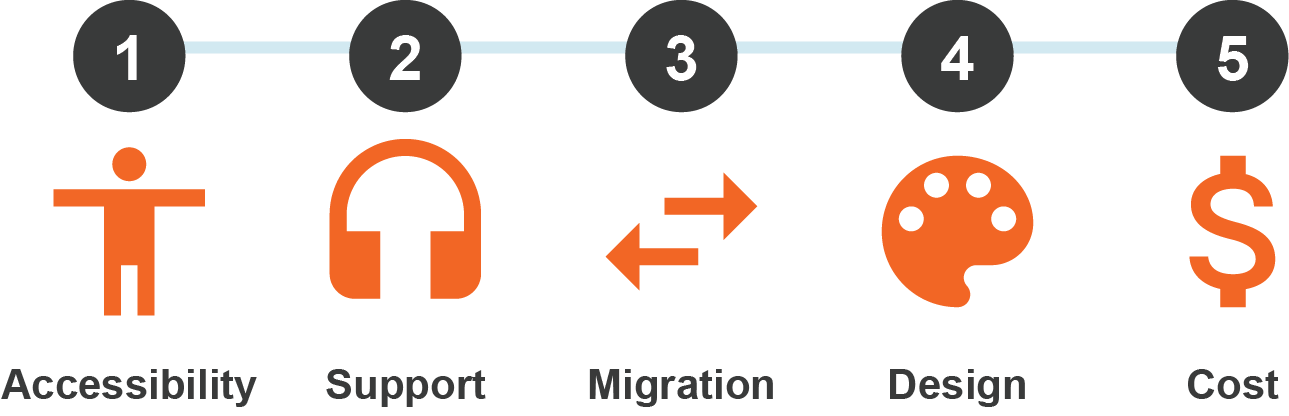
Evaluate vendors on five criteria:
- Accessibility built into the platform (not sold separately)
- Real human support
- A migration process done by real people who understand your users needs
- Design that reflects your district without enterprise pricing
- Transparent total cost
Accessibility and support should be weighted the heaviest. They're the two areas where districts most often discover, too late, that a vendor overpromised.
What This Guide Covers
- The five criteria that should anchor your evaluation
- Questions to ask every vendor before you sign anything
- Red flags that predict a rocky implementation
- What a clean migration should actually look like
- How to think about cost beyond the sticker price
- A short checklist you can bring into your next vendor call
Why This Decision Is Harder Than It Looks
A school website has to serve several audiences at once: parents checking lunch menus, prospective families evaluating the district, staff posting updates on tight deadlines, and compliance reviewers checking WCAG conformance. Most vendor comparisons focus on templates and pricing tiers and miss the two factors that actually determine whether a district is happy three years in: who picks up the phone when something breaks, and whether accessibility was designed in or bolted on.
Criterion 1: Accessibility Built In, Not Sold as an Add-On
With ADA Title II compliance deadlines now set at April 26, 2027 and April 26, 2028 depending on district population, this has become a baseline requirement, not a nice-to-have. Ask every vendor directly: is WCAG 2.1 Level AA built into the platform's templates and content tools, or is it a separate audit product you buy after the fact? Ask whether they offer ongoing accessibility audits, or just a one-time scan. A provider that not only does compliance scan, but offer guidance and clean up services will save your staff far more time than one who hands off a scan with no corrections in mind.
Criterion 2: Support That's Actually Support
This is the criterion districts underweight most, and regret underweighting most. Ask specifically: Will we have a named contact, or a ticket queue? What's the typical response time? Is training included, or billed separately? National platforms serving thousands of districts often can't offer the kind of responsive, personal support a smaller, regionally focused partner can. Districts working with Foxbright consistently tell us this is the difference that matters day to day. We don't just work for you, we work with you.
Pro Tip: When you call references, ask about after launch: “What happened the first time something broke?” Every vendor is at their best during the sale, the support experience afterward is what you're actually buying.
Questions worth asking every vendor:
- Who answers the phone: a person who knows our site, or a general help desk?
- Response time: what's the average turnaround for a support request?
- Training: included in onboarding, and available again later as staff turn over?
- After the signature: what happens to support quality once the contract is signed?
Criterion 3: A Migration That Doesn't Cost You What You've Built
Switching school website providers is one of the highest-anxiety parts of this decision, and for good reason: a bad migration can mean lost content, broken links, a dip in search rankings, and weeks of staff time spent rebuilding pages that already existed. Ask any vendor to walk you through their migration process specifically, not in general terms.
- What content do they migrate automatically versus manually?
- Can we hide migrated content we don't use now and resurface later if needed?
- What's the realistic timeline, and does your current site stay live until the new one is fully tested?
| Migration Question | Why It Matters |
|---|---|
| Can we hide old content? | Hiding content that you don't need now, but might need later down the line prevents lost items |
| Is content migrated automatically or rebuilt by hand? | Determines timeline, cost, and risk of dropped content |
| Does the old site stay live during testing? | Avoids downtime for families and staff mid-transition |
| Who owns your content and domain after migration? | Determines how easily you could switch again later |
Criterion 4: Design That Reflects Your District, Not a Template Number
Every vendor will show you attractive designs in a sales demo. The better question is how much of that design is genuinely customizable to your district's identity, colors, and community feel versus how much is a shared template with your logo swapped in. Ask to see live examples from districts similar in size to yours, not just polished concept mockups. Our Design Gallery is a good example of what to ask any vendor for: real, live sites you can click through, not renderings.
Criterion 5: Cost, Beyond the Sticker Price
The quoted annual fee is rarely the whole story. Ask what's included versus billed as an add-on: training, support tiers, accessibility audits, additional user accounts, mobile app integration, and mass notification. A lower base price with expensive add-ons can end up costing more than a transparent, all-in quote. This is where “custom design without the custom price” earns its keep as a real differentiator, not just a tagline. Ask any vendor to itemize exactly what's bundled.
Red Flags Worth Watching For
- Vague migration answers: evasiveness about process, timelines, or data ownership
- Lack of accessibility tools: ADA guidelines are constantly changing, and you want a team that stays on top of it
- SLA-only support: no mention of a named contact who knows your site
- Reluctance on references: especially from districts of a similar size
- One-Size-Fits-All pricing: estimates that force you to pay for services you won't use

A Short Checklist for Your Next Vendor Call
- Is WCAG 2.1 AA accessibility built into the CMS itself?
- Do we get a named support contact, and what's the real response time?
- What does the migration process look like, step by step, including redirects?
- Can we see live, similar-sized district sites, not just mockups?
- What's actually included in the quoted price, and what costs extra?
- What do current clients say when we call them directly?
Frequently Asked Questions
How do I choose the best school website provider for my district?
Evaluate vendors against five criteria: built-in accessibility, quality of support, migration process, design flexibility, and transparent total cost. Weight accessibility and support most heavily, since those are where districts most often run into problems after signing.
What should I look for in a school CMS vendor checklist?
A strong checklist covers whether WCAG 2.1 AA compliance is built into the platform, whether support includes a named contact with fast response times, how migrations and redirects are handled, and what's actually included in the quoted price.
How long does it take to switch school website providers?
Timelines vary by district size and content volume, but a well-run migration typically keeps your existing site live during testing so there's no gap in service. Ask any vendor for a specific, not general, timeline before committing.
Will switching providers hurt our search engine rankings?
It can, if redirects aren't set up correctly for every existing URL. A vendor with a solid migration process will map old URLs to new ones with 301 redirects to preserve rankings and existing bookmarks or links.
Is accessibility compliance included with most school website platforms?
It varies widely. Some vendors build WCAG 2.1 AA support directly into their content tools; others sell accessibility auditing as a separate, ongoing cost. Ask specifically before assuming it's included.
What's a reasonable support response time to expect from a school website vendor?
Expectations vary, but districts should ask for specifics rather than accepting vague assurances: is there a named contact, and what's the typical turnaround for a support request during the school year?
The Bottom Line
The right school website provider isn't necessarily the one with the flashiest demo or the lowest quoted price. It's the one that builds accessibility in from the start, answers the phone with a real person who knows your district, and can walk you through a migration plan in specific, not vague, terms.
That's the standard we hold ourselves to at Foxbright, and it's a fair standard to hold any vendor to, including us. If you'd like to see how our website platform stacks up against this checklist, we're glad to walk through it with you.
Ready to compare providers side by side? Get started with a free consultation, or request a quote to see exactly what's included.
Foxbright — powerful websites and personal support for schools, municipalities, and nonprofits. Michigan-based and women-owned, partnering with communities for 20+ years.
As a Foxbright client, you can expect:











 New Website Designs: Back-to-School 2026
  ADA Title II Web Compliance: The 2027 and 2028 Deadlines for Schools, Cities, and Townships
  How to Choose a School Website Provider: A Vendor Checklist for Districts
 Want to Learn More About Foxbright?



See the Difference for Yourself
Want a website that’s easy to use and backed by real people who care? Let’s talk about how Foxbright can support your organization's goals today, and for years to come.